
Unmixing for BD FACSDiscover A8/S8 data can be done either in FlowJo or on the BD FACSChorus software.
Parameter types
FCS files for which unmixing has been performed, will be exported from the BD FACSDiscoverTM A8/S8 with an unmixing matrix and three sets of parameters:
- Software-unmixed parameters, which is the automatic application of the unmixing matrix from FACS Chorus to the raw fluorescence detector data
- Parameters unmixed from the FACSDiscover hardware that SpectralFXTM can be applied to
- Raw fluorescence detector data which may be used for re-unmixing during data analysis in FlowJo
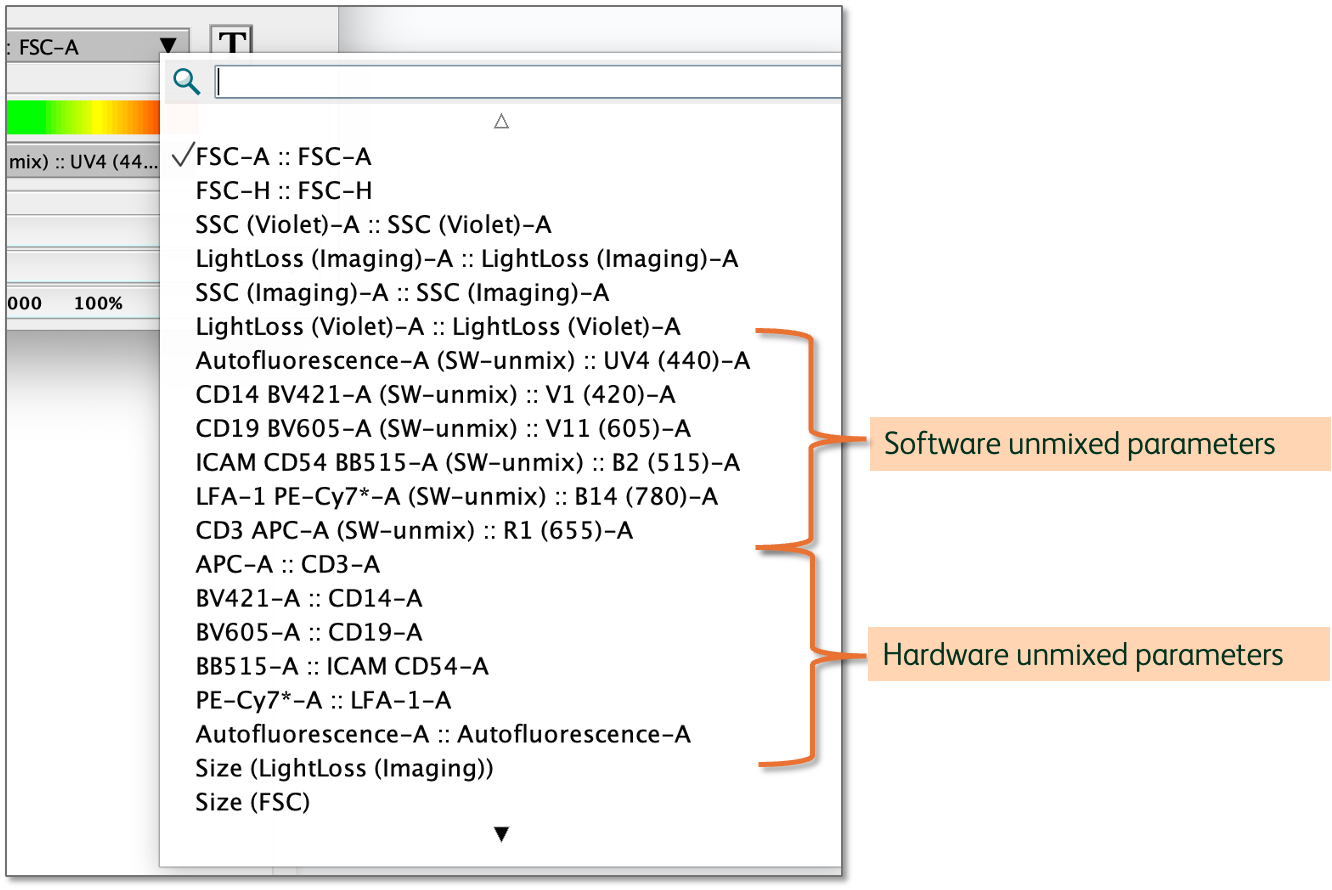
Figure 1 Software and hardware unmixed parameters from FACSDiscover data
Software unmixed parameters
The software-unmixed parameters are annotated with (SW-unmix). They are created when FlowJo detects an unmixing matrix and raw detector data, then automatically applies the Acquisition-Defined spectral unmixing matrix. As of version 10.10.1 the parameter names have been updated to display the correct detector information as the conclusion of the parameter name. The acquisition matrix can be viewed in the compensation editor, can be duplicated and can be edited. Version 10 does not provide a mechanism for parameter-parameter matrix adjustment so we recommend, if you absolutely need to edit your unmixing matrix, modifying the value of the parameter of interest vs. the primary detector of the interacting parameter. Figure 2 displays identifying a desired correction of CD14 vs. CD19, selecting the value for CD14 vs. v605, the primary detector for CD19, and adjusting that entry in the matrix.
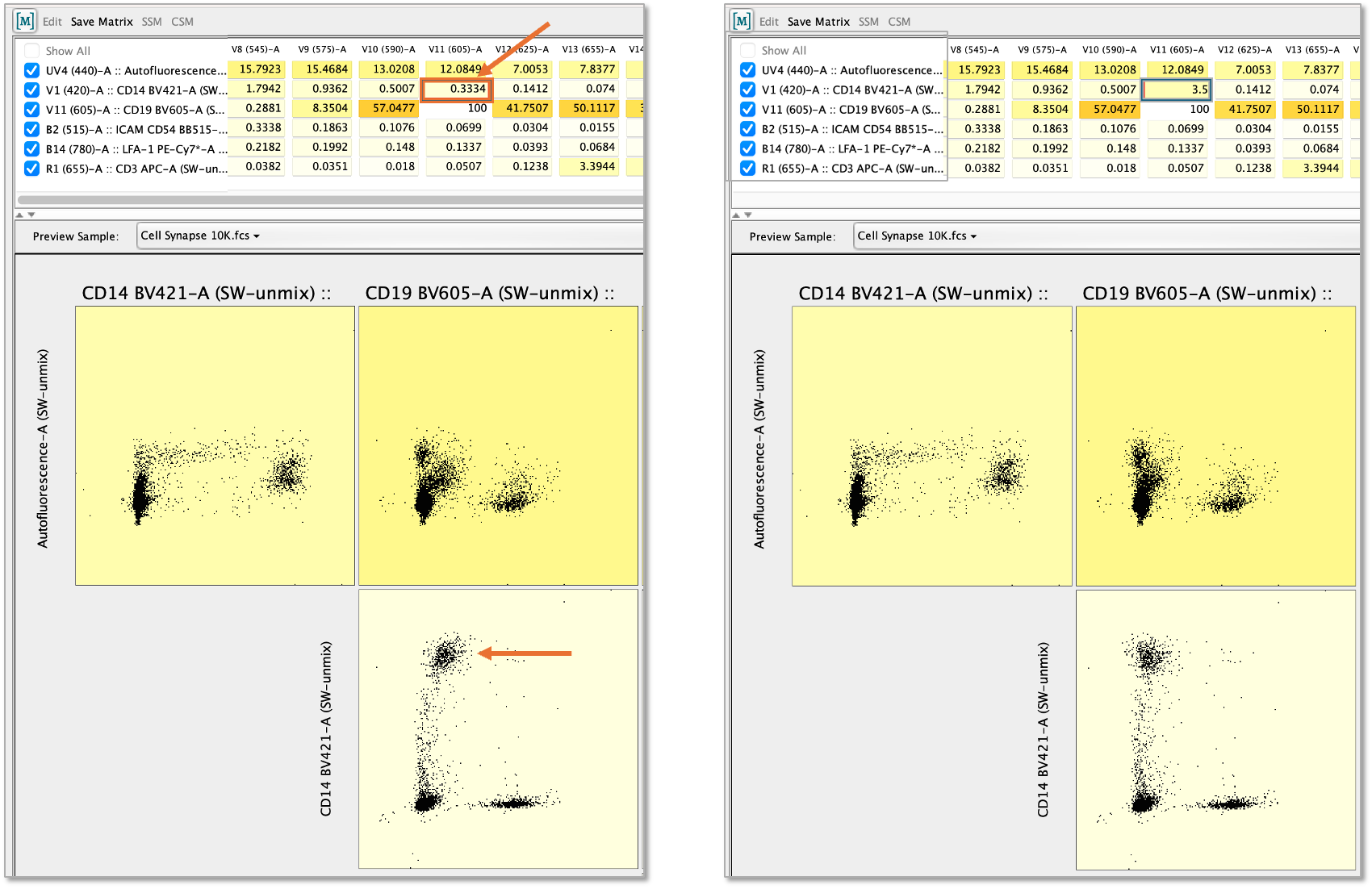
Figure 2 Modifying a spectral matrix by adjusting a parameter vs. the primary detector of the second parmaeter
Hardware unmixed parameters
The hardware unmixed parameters follow a general nomenclature of Fluorochrome-A :: AntigenTarget-A. They can be found together in a block below scatter and the software unmixed parameters in the graph window parameter selection menu. The data distributions for these parameters will not change in any way if you calculate an unmixing matrix in FlowJo and apply that to the FCS files.
The one adjustment that can be made is whether to apply BD SpectralFX. If you right click on any file you will see the choice to either Apply BDSpectralFX or OLS. Applying BDSpectralFX allows you to gain the benefit of the cytometer specific adjustments made to optimize unmixing. If SpectralFX is applied the parameter values will match the sw-unmix exactly.
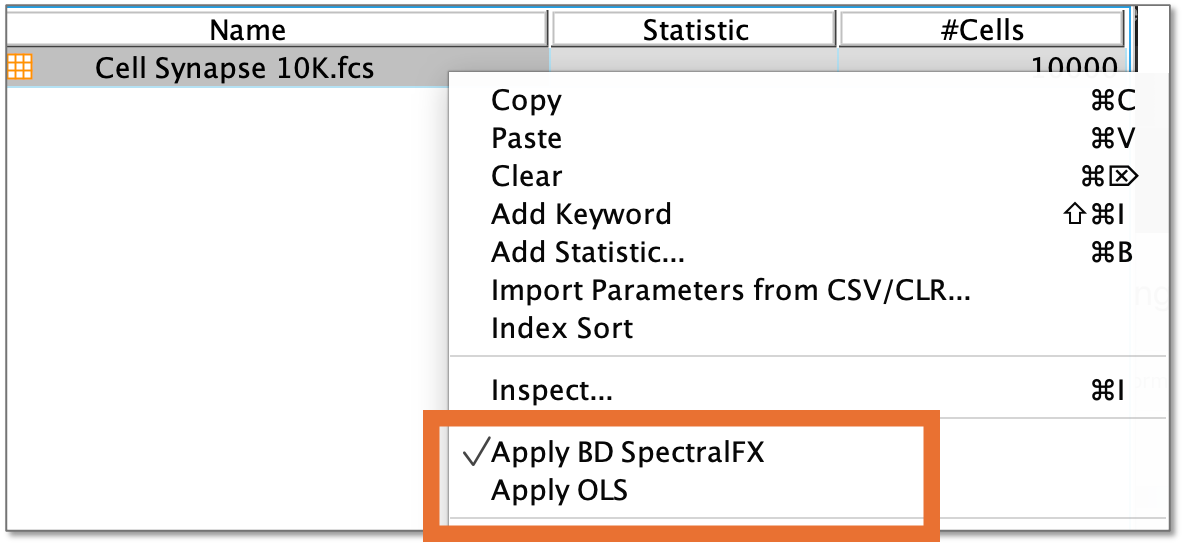
Figure 3 Applying SpectralFX
Raw detector parameters
The raw detector data is what you will use if you choose to start compensation from scratch in FlowJo. These parameters are hidden by default if unmixed parameters are present. To view them, choose Show Uncompensated Parameters from the Display menu option associated with any graph window. These parameters will show you the raw signal, per detector.
Unmixing in FlowJo
Unmixing can be done in FlowJo as with any other spectral data with a few additional details to pay attention to. Please see the documentation page on unmixing in FlowJo for basic instructions.
Related specifically to the BD FACSDiscover S8, when the parameter selector pops up after initiating compensation, pick all of the raw detectors, but be careful to omit the 3 imaging detectors, which are annotated with ImbBx. Additionally, be sure not to select any of the -T parameters. FlowJo will remove -W and -H parameters, but -T are specific to this machine.
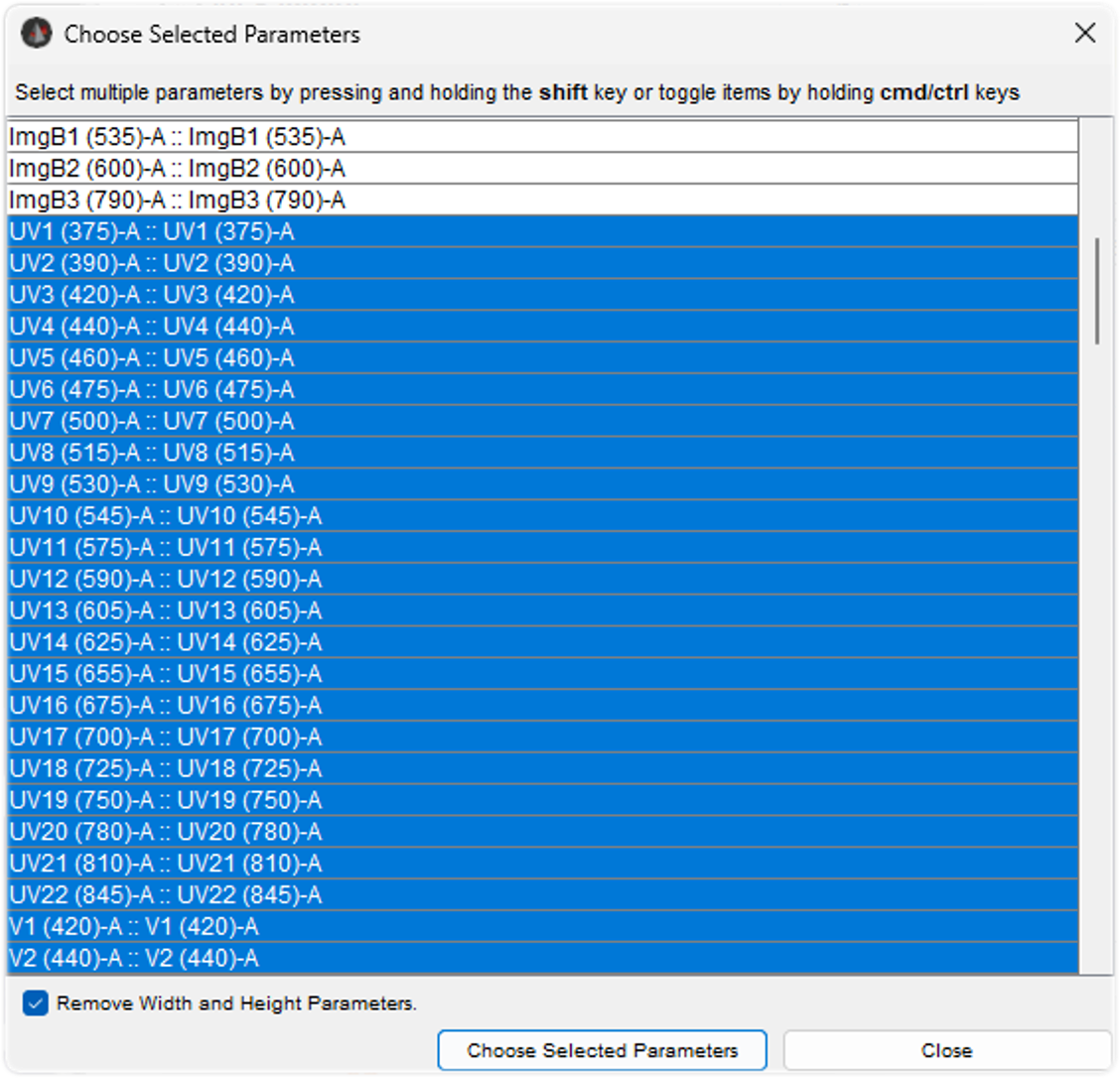
Figure 4 Unmxing using raw detector data
Similarly, when you check the box for doing spectral unmixing, use the ‘Selected Detectors’ here to make the same selection of detectors, choosing only -A detectors and omitting the imaging detectors.
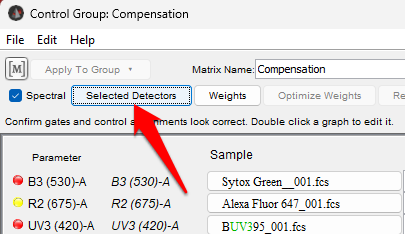
Figure 5 Detector selection button
Finally, FlowJo will assign each single stain control to the detector in which it produced the brightest signal. This is not necessarily how the controls were assigned on BD FACSChorus software, so it is likely you will produce a slightly different matrix, and will have to type the parameter names into FlowJo.